Noise-to-Motion/#017/Post
Google Ads says budget changes never trigger Learning. Stop waiting
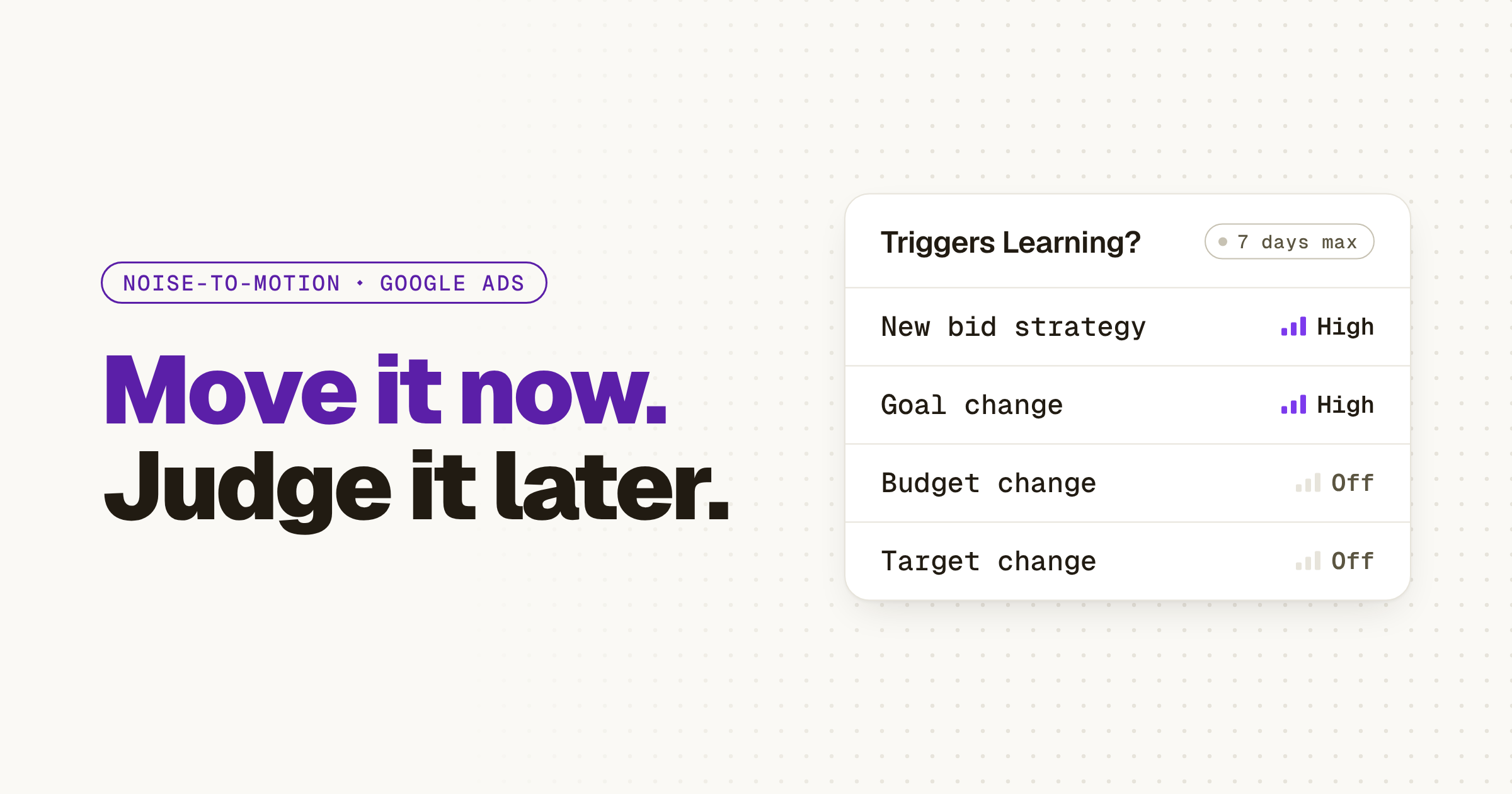
Google Ads now says changes to budgets, targets, creatives and targeting never trigger Learning, so the wait after a budget edit protected nothing: make the change and judge it on your conversion cycle.
01 ⬩ What shipped
Google rewrote its Learning page, and budgets are off the list
Google Ads has rewritten its help page on Smart Bidding learning, and it now says changes to budgets, targets, creatives and targeting settings never put a campaign into "Learning" status. My read: if you've been sitting on a budget change to protect a campaign's learning, you can stop. Google has written down that there's nothing to protect.
The page used to be titled "Duration of the learning period for campaigns and what affects it." It's now About Smart Bidding learning, and it's a rewrite, not a rename. Learning status "never lasts more than 7 days," and your ads keep serving while it shows. Only three things trigger it: a new or reactivated bid strategy, a composition change (campaigns, ad groups or keywords added to or removed from the strategy), and a significant change to the conversion goals you optimize to. Everything else, in Google's words, will "never remove your historical data or trigger 'Learning' status."
Barry Schwartz, who runs Search Engine Roundtable, caught the change on Oct 21 and compared it with the old page.
02 ⬩ What it changes
The wait was the expensive part
Most of us learned the same rule: change a Smart Bidding campaign, then leave it alone until Learning clears or you'll reset it. So the budget you knew was too low on Monday stayed too low, and the campaign that was overspending kept overspending, because touching either one felt like starting over. For a B2B account, where a conversion is a demo request that can land days after the click, that caution added up to weeks of a budget you'd already decided was wrong.
Here's how I read the new page. The freeze never protected the campaign. It only kept the wrong budget running. Google's page says a budget or target change takes effect in the next auction, and what you still have to wait for is the conversions.
Google's own product team said the same thing out loud on Oct 15. On that week's Ads Decoded episode, Ginny Marvin, Google Ads Product Liaison, asked Tal Akabas, Director of Product Management at Google Ads, about learning periods on a campaign that's already running. His answer: "When you change your target or your budget, there isn't actually a learning period."
The limit Google keeps is plain: avoid making several target changes inside one conversion cycle unless there's a clear business reason. Budgets have no such line.

03 ⬩ What to do
Make the change now, judge it on your cycle
Start with your conversion cycle, which Google defines as the time it takes for a click to become a conversion. That's the clock that matters now. Google's page says performance settles toward a new goal within 1 to 2 conversion cycles, and it tells you to evaluate over "2 conversion cycles or a 2 week window (whichever is longer)."
Then make the budget change you've been holding back. Save the structural changes for one batch: a new bid strategy, campaigns or keywords added to a strategy, a new conversion goal. Those are the moves that still show Learning. Waiting is work you can stop, the kind The Work You Stop Doing is about: nobody would notice it was gone, except in the numbers.
- 1Look up your conversion cycle, the time from a click to a conversion.
- 2Change the budget today. It takes effect in the next auction.
- 3Batch the structural changes: new strategy, campaigns or keywords added or removed, a new goal.
- 4Judge the result over 2 conversion cycles or 2 weeks, whichever is longer.
04 ⬩ Sources
Where this came from
- About Smart Bidding learning, Google Ads Help,
- Google Ads Updates Smart Bidding Learning Doc With 7-Day Limit and Best Practices, Search Engine Roundtable,
- Barry Schwartz (@rustybrick) on X,
- How to guide campaign spend with Google Ads budget and bidding controls, Google Ads on YouTube,
- New bidding and budgeting tools can transform your upcoming holiday ad strategy, Google, The Keyword,
Get the next one the day it lands.Follow on LinkedIn