Noise-to-Motion/#006/Post
ChatGPT and Claude still can't read JavaScript pages. Check yours
Glenn Gabe's retest shows ChatGPT, Claude and Perplexity still can't read content a page draws in JavaScript, so ask them to read your pricing page before a buyer does.
01 ⬩ What shipped
ChatGPT, Claude and Perplexity still read the shell
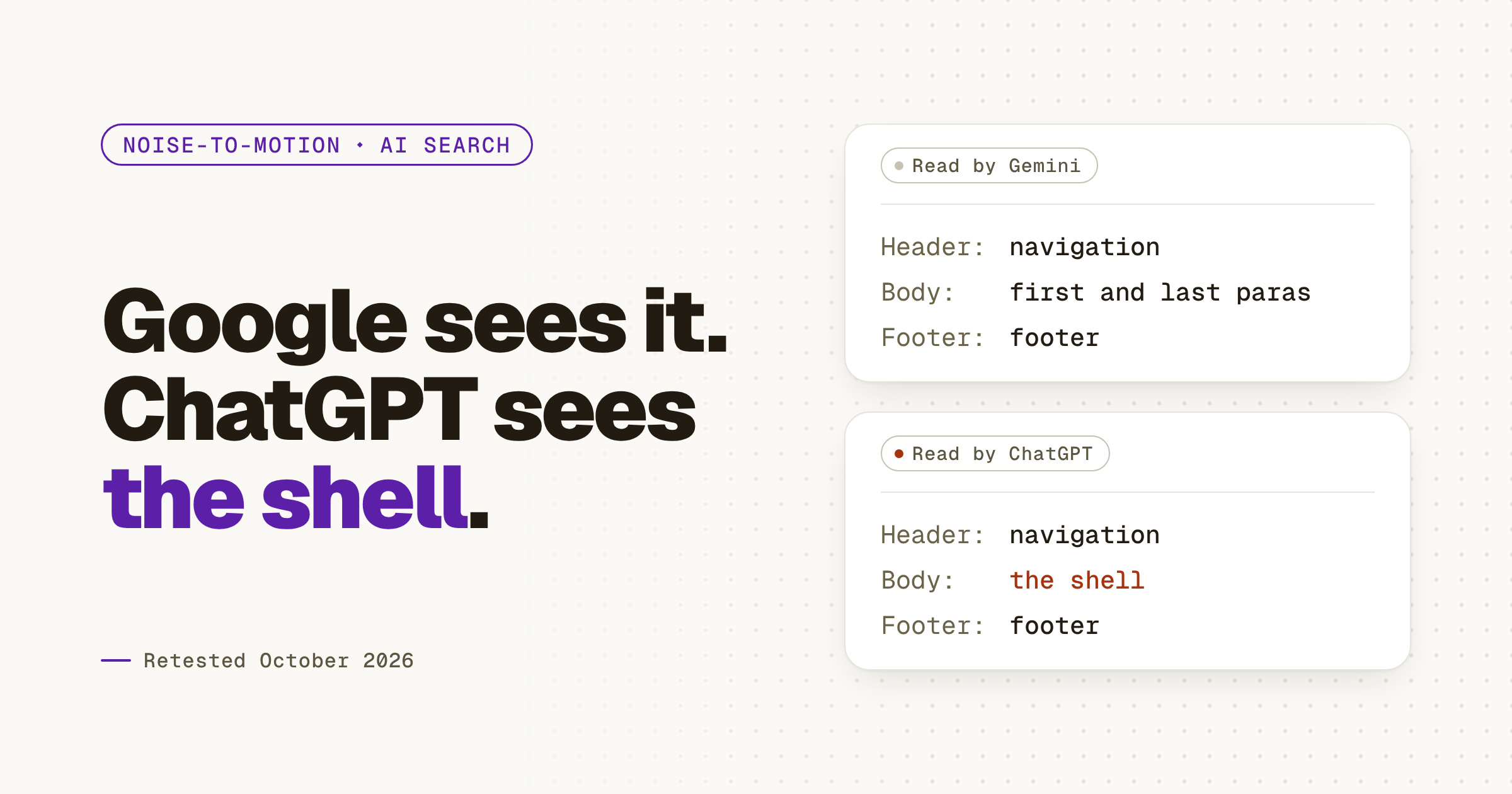
Glenn Gabe, a search consultant at G-Squared Interactive, retested AI search and JavaScript on Oct 19, 2026, 434 days after his first test, and ChatGPT, Claude and Perplexity still can't read content a page draws in JavaScript. If your pricing page builds itself in the browser, those three are reading your header and footer.
He ran the same check he ran in August 2025, across ChatGPT, Claude, Perplexity, Gemini and Copilot: ask each one to read a page and return its first and last paragraphs. On a page whose main content rendered entirely in JavaScript, ChatGPT reported only navigation and footer, Claude saw the site chrome, and Perplexity got mostly cookie-consent text. Gemini and Copilot read it, because they run on Google's and Bing's systems. On a parallax site, Copilot failed too. Here's the post that tipped me off, and Glenn Gabe's full write-up on GSQi has every screenshot.
02 ⬩ What it changes
The check you'd run first is the one that passes
If your site is built as a JavaScript app, your pricing, docs and comparison pages may draw themselves after the JavaScript loads. A person never notices. An assistant fetching the page for a buyer gets the shell, and the buyer gets an answer built without your page. If you only check in Google, or in Gemini, you'll think the page is fine. Gemini and Copilot read it through Google's and Bing's systems; ChatGPT, Claude and Perplexity fetch the HTML without running the JavaScript. Gabe's advice is short: "be careful requiring JavaScript-rendered content." Your developer will call this a rendering question. It's a pricing question.
03 ⬩ What to do
Run his test on your own pages
Gabe's method needs nothing but the assistants themselves. Start with the pages a buyer's assistant reads first, because that reading happens before anyone fills in a form. Chris Hart made the same point in Your Buyer's AI Does the Research: the assistant reads first, and a person comes later to check it.
Watch for a loading message as well as a short reply. On the parallax site, every assistant except Gemini came back with the page's error text instead of its content. The fix sits with whoever builds the site: put the main content in the HTML the server sends, so a reader that never runs the JavaScript still gets it.
- 1List the pages a buyer asks about: pricing, docs, the comparison page.
- 2Paste each URL into ChatGPT, Claude and Perplexity.
- 3Ask it to read the page and give you the first and last paragraphs.
- 4Read the reply. Navigation, a footer or a loading message means the main content renders in JavaScript.
- 5Send those URLs to your developer with the reply attached.
04 ⬩ Sources
Where this came from
Get the next one the day it lands.Follow on LinkedIn