Noise-to-Motion/#001/Post
Google Ads ends all-or-nothing channels. Cap Display before February
Google Ads now lets you cap the channels you used to switch off, so set Display before February 2027 and test Search partners at 5%.
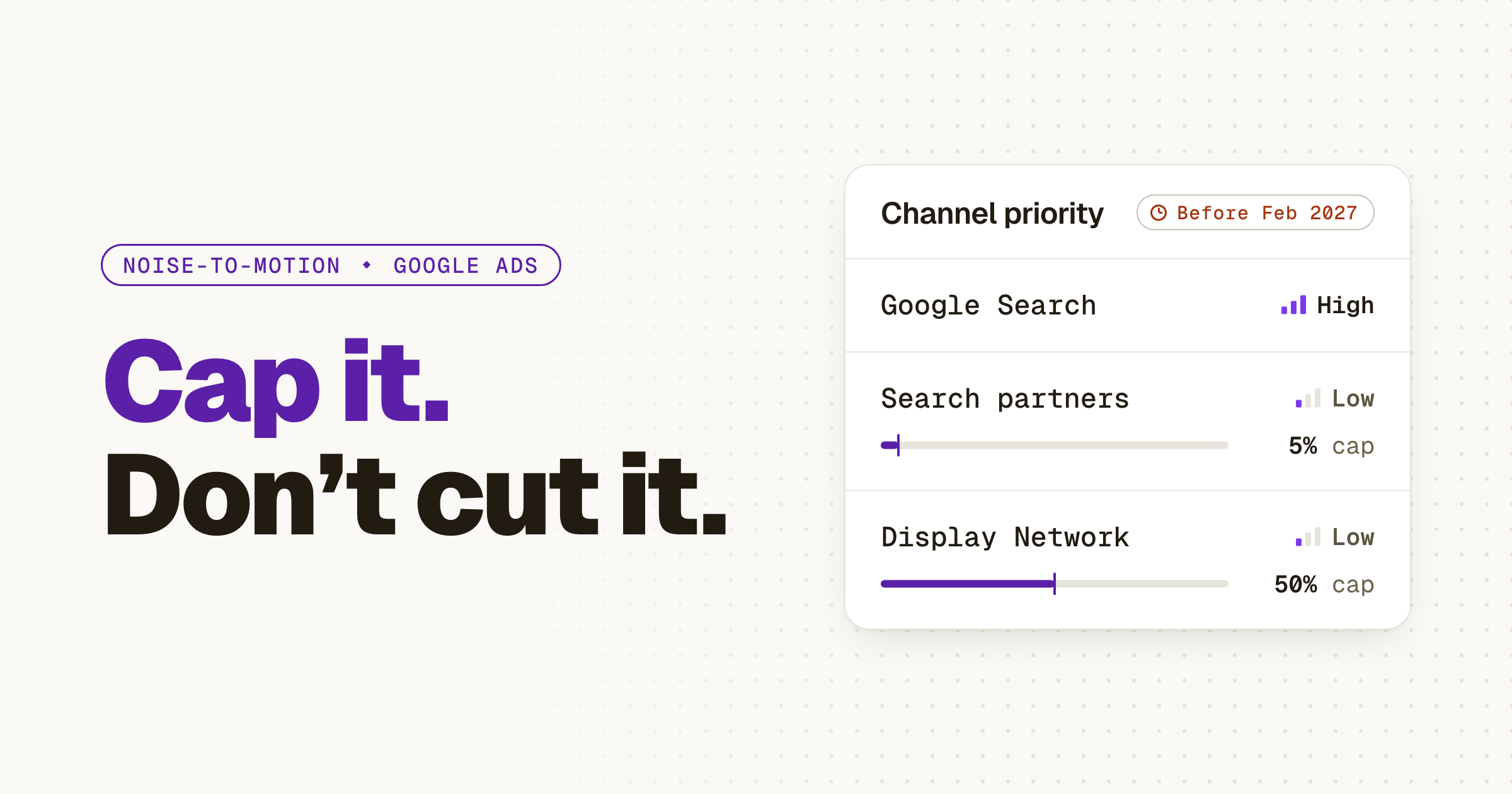
01 ⬩ What shipped
Priority tiers and a cap, per channel
On Oct 14, 2026, Google Ads announced two optional controls, channel prioritization and budget allocation, and for a small team the cap is the part that matters. A channel you used to switch off can now run at a share of the budget you pick.
Here's the shape, from Google's announcement on The Keyword and the Google Ads Help page. You mark each channel High or Low priority. High gets funded first, and on Target CPA or Target ROAS that means within your target. A Low channel can carry a daily cap, set as a percentage of the campaign's average daily budget. The cap is best effort and resets each day. Set it to 0% and Google won't spend there at all.
It starts reaching accounts today, Oct 15, across Search, Shopping, Performance Max and Demand Gen, which gets priority but not the cap. If you don't see the Channel Prioritization card yet, it hasn't reached your account. Google's Ads Liaison account walked through the details the same morning.
02 ⬩ What it changes
The channels you turned off because on meant unbounded
The first thing I did in every Google Ads account I inherited was turn off Search partners and the Google Display Network. Not because they never worked. Because on meant no ceiling, and I didn't have hours to watch them. Google's post speaks to that habit: people who opted out "can use this new lever to test these networks with more confidence and clearer limits."
A cap you set is the difference between a channel you fear and a channel you test.
The catch: on Target CPA or Target ROAS, when a campaign isn't limited by budget, priority alone generally won't change where the money goes. Only the cap does. Greg Finn of Cypress North tried to explain it on video. It went awry.
Pritesh Patel, a UK marketer, asked the fair question: shouldn't the algorithm work this out on its own? It will, by its measure. The cap is yours: what you'll pay to find out. Same test as The Work You Stop Doing: who would notice, and when? Nobody notices a capped test. Everybody notices an uncapped one on the invoice.
03 ⬩ The deadline
February 2027, and what to set now
There's a date on this. Starting in February 2027, Search campaigns with Display Expansion turned on move to the new controls automatically, and the current spend setup goes away. Google says spend may shift between Search, Search partners and Display. To keep what you have, set the Google Display Network to Low priority with a 50% daily allocation.
Two more lines from Google's Help page are worth a minute. Setting priorities before February applies right away and replaces the old Display Expansion behavior. And from February, Display stops serving on Search campaigns that bid to Target Impression Share. You can't set any of it from a manager account, so it's done inside each client account.
Then use the same cap on what you switched off. Google's own example is a 5% allocation on a $1,000 average daily budget, which aims to hold that channel at or below $50 a day.
- 1Open each Search campaign that has the Google Display Network on.
- 2Expand the Channel Prioritization card in Settings and choose campaign-level settings.
- 3Set Display to Low priority with a 50% budget allocation.
- 4Set Search partners to Low at 5% and note the date in the change history.
04 ⬩ Sources
Where this came from
Get the next one the day it lands.Follow on LinkedIn